MSI XpertStation WS300 評測:NVIDIA DGX Station GB300 工作站
MSI XpertStation WS300 Review NVIDIA DGX Station GB300
ServeTheHome 評測 MSI XpertStation WS300,這款搭載 NVIDIA GB300 的 DGX Station 工作站把伺服器級硬件帶到桌面環境。
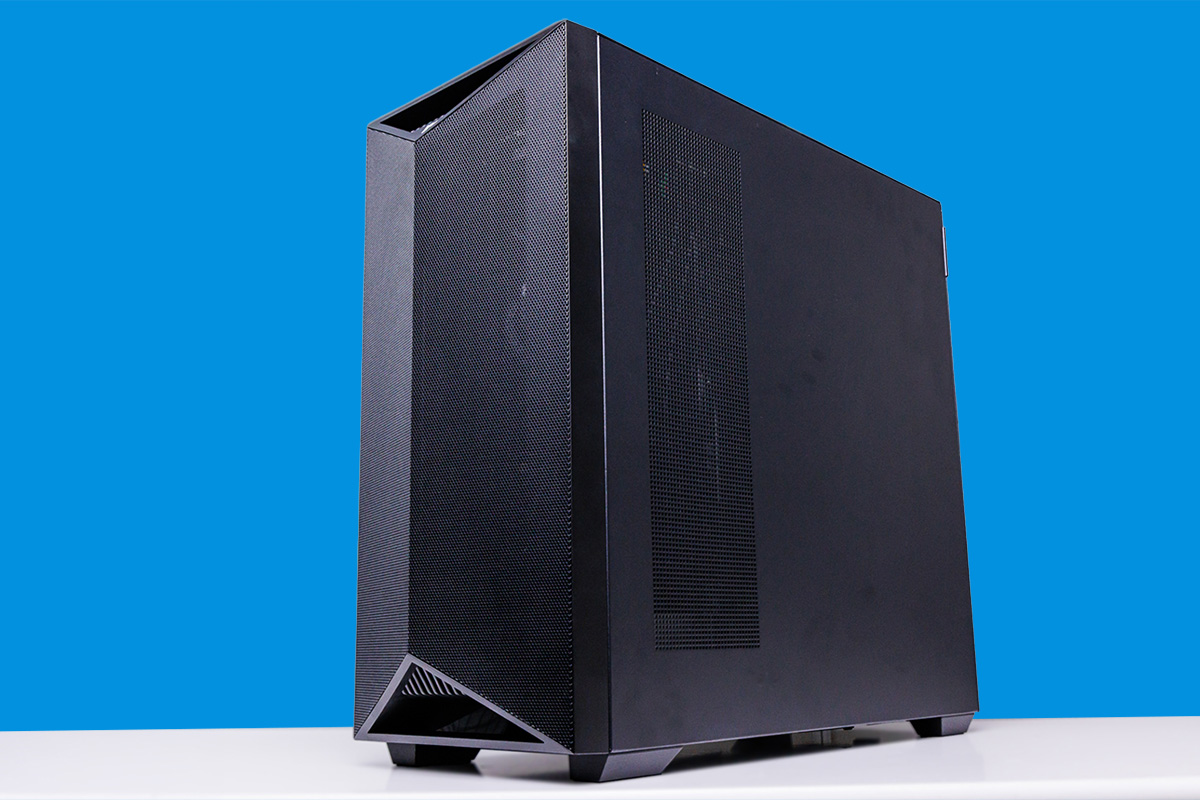
Today we are looking at our second NVIDIA DGX Station-powered system with MSI’s XpertStation WS300. These NVIDIA GB300-based systems bring NVIDIA’s server-grade hardware to a desk-side computer for the first time, letting developers and other workstation users test and run programs in a local AI setting. With a 1.6kW maximum power draw and an extensive liquid cooling system, these DGX Station systems pack as much server hardware as you can fit into a desktop tower, and even then, only barely.
Last month we looked at our first DGX Station system with Gigabyte’s W775-V10-L01. You may have seen that in that review, and in this one, we took the opportunity to network two systems using the NVIDIA ConnectX-8 SuperNIC for an 800Gbps aggregate Blackwell Ultra-to-Blackwell Ultra RDMA link. Unlike many pre-AI-era workstations where networking was an afterthought, here MSI and NVIDIA are making it central to scaling to service more users and larger models. It also features an expansive closed-loop liquid cooling system to keep all that hardware cool. As a result, this system not only delivers strong performance, but it also has a lot going on under the hood to enable it.
| MSI XpertStation WS300 Key Specs | |
| CPU | NVIDIA Grace 72-Core Neoverse V2 (72C/72T) |
| GPU | NVIDIA Blackwell Ultra |
| Operating System | Ubuntu 24.04 LTS with NVIDIA AI Developer Tools |
| Memory | CPU: 496GB LPDDR5X (396GB/s) GPU: 252GB HBM3E (7.1TB/s) |
| Storage | 2x M.2 2280 (PCIe Gen6 x4) 2x M.2 2280 (PCIe Gen5 x4) |
| Video Card | Optional: NVIDIA RTX PRO Blackwell 2000/4000/6000 |
| PSU | 1600W (80 PLUS Platinum) |
| Form Factor | Tower Workstation 246 x 529 x 570 mm (9.67 x 20.83 x 22.46 in) |
| Networking | 2x 400Gbps (QSFP112, ConnectX-8) 10Gb Ethernet (RJ45, Marvell) 1Gb Ethernet (BMC) |
| Ports | Top: 2x USB-C 10Gbps, 2x USB-A 10Gbps, 1x 3.5mm Line-Out, 1x 3.5mm Mic-In Rear: 4x USB-A 10Gbps, 1x USB Micro-B UART (BMC), 2x 400GbE (QSFP112), 1x 10GbE LAN (RJ45, Marvell), 1x 1GbE LAN (RJ45, BMC), 3x 3.5mm Audio, 1x Mini DisplayPort (BMC) |
Meanwhile, every DGX Station vendor is putting their own spin on how a GB300 desktop should be built, and MSI is no different. For MSI, that means considering not only the GB300 hardware itself, but also how best to mount a high-end RTX Pro video card inside the system. Consequently, if your GB300 workstation needs a proper graphics adapter to round out the experience, MSI has that process covered.
So without further ado, let us dive right in.
MSI XpertStation WS300 External Hardware Overview
With a combination of very large chips and an extensive liquid cooling system, MSI’s XpertStation WS300 sits in a full-size PC tower case measuring 53cm tall and 57cm deep. If its size alone does not clue you in to how massive this system is, you will quickly feel it when you try to lift it, thanks to its hefty weight of nearly 30kg.
The WS300’s overall design is typical for a desktop workstation. Painted and clad entirely in black, it is clear this is a high-end system of some sort, and one that requires a lot of cooling, but you would be hard-pressed to guess it is a $100K+ system with a server processor set tucked inside. It is an expensive system, but not flashy, unlike what we have seen with NVIDIA’s DGX Spark and the like.
We will cover the cooling system in more detail later in our internal hardware tour, but it is worth noting that the front of this system is open. Behind the triangular mesh screen covering the front of the system are the system’s internals. This is a stark difference from Gigabyte’s DGX Station system, where the front was entirely closed off.

With the left side of the system being entirely blank, we will start on the right side of the case. Here we see the back of a radiator, with three fans pushing air through it as part of the system’s extensive liquid cooling.
MSI’s decision to reserve the entire front of the case for airflow means there are no I/O ports or buttons on the front. Given the size, weight, and heat output, MSI designed the WS300 as a floor computer, so it places its ports and controls along the top of the case.

For its DGX Station system, MSI offers a decent port selection, though the system is still somewhat held back by the limitations of the GB300 hardware. We find a pair of 10Gbps USB-A ports and a pair of 10Gbps USB-C ports right next to them.

You will not find any USB4-speed ports on the system. NVIDIA’s DGX Station motherboard provides none. Transfers faster than 10Gbps must go through the system’s massive-throughput dual 400Gb QSFP112 array via the integrated ConnectX-8 SuperNIC. A fair point someone on our team raised is that, technically, you can use the PCIe card slots to add more USB options. However, we think it is better used as a server you connect to over the network.

Along with the standard USB ports, MSI’s system also provides dedicated 3.5mm audio input and output ports, and even a green drive activity light, with the HDD symbol amusingly outliving hard drives in workstation systems (GB300 does not provide SATA ports). This is also where we find the system’s somewhat questionable power and reset controls. Towards the front of the system, the WS300’s power button has a green LED to helpfully show system status. Behind that is a rather recessed reset button. Because these controls face up, recessing the reset button helps prevent accidental resets, but it also makes it harder to trigger intentionally, so it has drawbacks.
On the plus side, MSI has done better than others here by labeling their USB ports with the USB-IF logo. It would still be better if they listed the port speeds, especially for the potentially speedy USB-C ports.

Shifting to the rear of the WS300, we find the back side of a standard PC chassis. This means we are looking at the familiar fan, rear I/O, expansion slot, and PSU layout of the ATX form factor. The chassis accepts either a 120mm or 140mm fan for rear exhaust, with MSI opting for a 120mm fan.

The rear I/O is dominated by networking. As a reminder, DGX Station systems use a standardized NVIDIA motherboard, so all Station systems share the same I/O arrangement here. Including the 1GbE port for the BMC, the WS300 has four Ethernet ports routed to three different controllers.

Chief among these are the two QSFP112 ports, which are fed by NVIDIA’s powerful ConnectX-8 “SuperNIC”. Each port offers 400Gbps networking and is the primary way the system connects to high-speed storage and/or other DGX Station-based systems. The ConnectX-8 SuperNIC driving these ports does a lot of heavy lifting beyond networking, and the capabilities and limitations of these QSFP ports are somewhat complex as a result (more on this in a bit).
Compared to the Gigabyte system we looked at previously, MSI has put more thought into keeping the QSFP112 cages cool. There is no active airflow here, but the I/O shield does not block it either.

For more mundane networking use cases, the system also has a pair of RJ45 Ethernet jacks. The left 1G port connects to the BMC and is for system management. OpenBMC handles management via an HTML5 iKVM. The RJ45 jack on the right side is a 10Gb Ethernet port powered by Marvell’s tried-and-true 10GbE controller. The system topology is fascinating. MSI’s Marvell 10Gbase-T controller is attached to the NVIDIA ConnectX-8 SuperNIC’s built-in PCIe switch, then to the CPU. It does not connect directly to the CPU. We have seen 10G ports connect through PCHs on other platforms, but this is using a high-end SuperNIC.

Below are the remaining WS300 USB ports. These four ports all run at 10Gbps, matching the speed of the USB ports on the top of the system. These ports are routed through a USB hub, so you should not expect 10Gbps from each one simultaneously.

To the right, we have a trio of audio jacks for two-channel audio out, plus separate mic and line-in jacks.

At the end of the rear I/O panel, two more ports connect to the BMC. On the left is a serial UART in a micro-USB form factor. To the right is a Mini DisplayPort output from the BMC for system management and configuration. DGX Station systems do not have a true integrated display GPU (Blackwell Ultra is more of a compute accelerator), so the BMC provides the only out-of-the-box graphics output. For a full-featured graphics solution, you can pair DGX Station systems with a compatible NVIDIA RTX PRO Blackwell video card. We will discuss that later, but you can look up compatible cards at the time you read this review.

Finally, here is a look at the bottom of the system, where the power supply resides. Thanks in large part to the GB300 accelerator inside each of them, DGX Station systems are extremely power-hungry, and NVIDIA is right at the limit for a single North American power outlet here with their 1600 Watt power supply. The 80 PLUS Platinum-rated PSU needs a high-capacity C19 power cable to safely handle that amperage and a 20-amp circuit to run it. In practice, this system effectively requires its own dedicated 20A circuit.
That is the outside of MSI’s WS300 DGX Station. For the rest of the story, let us dive into the system’s chassis, where this gets very different.
來源:ServeTheHome · servethehome.com