以 Amazon Bedrock AgentCore 建置 PowerPoint 簡報生成系統
Generate presentations with Amazon Bedrock AgentCore
AWS 團隊示範以 Amazon Bedrock AgentCore 建置智能體系統,根據企業文件生成 PowerPoint 簡報。以 90 頁 Amazon 2024 Annual Report PDF 進行的內部測試中,系統生成 6 頁簡報需 70–90 秒,模型呼叫成本約 $0.04(us-east-1,撰文時)。
A financial services team spends significant time each week manually creating client PowerPoint presentations from quarterly reports, compliance documents, and market analyses. Each presentation requires reading hundreds of pages, extracting key data points, structuring slides, and generating supporting visuals. This post walks you through building an AI agent system using Amazon Bedrock AgentCore that automates this workflow, completing in under 90 seconds in our internal testing. This approach reduces presentation creation time while grounding content in source documents. The solution deploys a supervisor agent on AgentCore runtime, a capability of Amazon Bedrock AgentCore, using the Strands Agents framework to orchestrate document generation and summarization tools. Anthropic Claude Sonnet 4.6 (available on Amazon Bedrock) handles content creation, Amazon Titan Text Embeddings v2 powers vector search, and Stability AI Stable Image Inpaint (available on Amazon Bedrock) generates slide images. This post includes a public repository with the code assets.
Solution overview
The solution deploys a single supervisor agent on Amazon Bedrock AgentCore runtime that selects between document generation and summarization tools based on user requests. A Retrieval Augmented Generation (RAG) pipeline uses Amazon OpenSearch Serverless for vector storage and semantic search across multimodal content.
The solution includes a REST API built with .NET 8 minimal APIs, so you can integrate with existing enterprise applications through standard HTTP calls. AWS Lambda offers serverless compute, including containerized functions for PowerPoint generation. The solution secures the implementation with Amazon Virtual Private Cloud (Amazon VPC) isolation, AWS Key Management Service (AWS KMS) encryption, and AWS Identity and Access Management (IAM) least-privilege access control.
Key concepts
This section covers AgentCore runtime, RAG, and content safety guardrails as they apply to this solution.
Agent orchestration with Amazon Bedrock AgentCore
A single AI agent generating documents from large knowledge bases must retrieve content, structure outlines, generate text, create images, and assemble files. Rather than implementing these competing responsibilities in a monolithic function, the solution uses a tool-based architecture where a supervisor agent routes requests to specialized tools.
Amazon Bedrock AgentCore runtime provides a platform to build, connect, and optimize agents at scale, with any framework or model. The agent code runs in an isolated container with session management, built-in identity, and observability. The solution uses the Strands Agents framework (an open source SDK for building AI agents) to implement the supervisor logic.
The supervisor agent exposes two tools:
- generate_pptx: Creates PowerPoint presentations by invoking the PPTX Generator Lambda function, which retrieves content from the knowledge base, generates slide outlines, creates AI images, and assembles the final document.
- generate_summary: Extracts and synthesizes information from the knowledge base using RAG to deliver accurate, grounded responses.
The agent determines whether a request requires document generation, content summarization, or both, then invokes the appropriate tool. You can add new capabilities by defining new tools in the agent code without modifying existing ones.
Retrieval Augmented Generation (RAG) for enterprise knowledge
RAG addresses a fundamental challenge in AI systems: delivering accurate, up-to-date information grounded in enterprise data rather than relying solely on the model’s training data. The implementation uses Amazon Bedrock Knowledge Bases, which combine vector search with large language models (LLMs) to retrieve relevant context before generating responses.
The RAG pipeline works as follows:
- You upload enterprise documents to Amazon Simple Storage Service (Amazon S3).
- The system chunks and parses documents, applying special handling for multimodal content including tables, charts, and images.
- Amazon Titan Text Embeddings v2 converts each chunk into high-dimensional vectors that capture semantic meaning.
- Amazon OpenSearch Serverless stores the vectors, creating a searchable vector database.
- At query time, the system converts the user’s request into an embedding and performs similarity search to retrieve relevant document chunks.
- Retrieved chunks supply context to the language model, which generates responses grounded in the source material.
This approach is designed to help reduce hallucinated content by grounding generated documents in source information from the enterprise knowledge base.
Note: The Amazon OpenSearch Serverless collection data plane must remain publicly accessible because Amazon Bedrock Knowledge Bases accesses Amazon OpenSearch Serverless from AWS-managed infrastructure, not through customer VPC endpoints. IAM data access policies protect the collection, and VPC-only access restricts the Amazon OpenSearch Serverless dashboard.
Amazon Bedrock Guardrails for content safety
Enterprise AI applications require content moderation to meet organizational standards and compliance requirements. Amazon Bedrock Guardrails offers built-in content filtering and safety mechanisms integrated throughout the document generation pipeline.
Guardrails operate at multiple stages:
- Input processing: Filters user requests to help prevent injection issues and inappropriate content.
- Output generation: Monitors model outputs to verify compliance with content policies.
- Personally identifiable information (PII) handling: Detects and anonymizes or blocks PII.
The implementation creates custom guardrails through AWS Cloud Development Kit (AWS CDK), configured with specific policies tailored to enterprise document creation. The agent applies guardrails at the model invocation level, providing consistent content safety without requiring manual configuration for each deployment.
Solution architecture
The following diagram illustrates the agent-based document generation system.
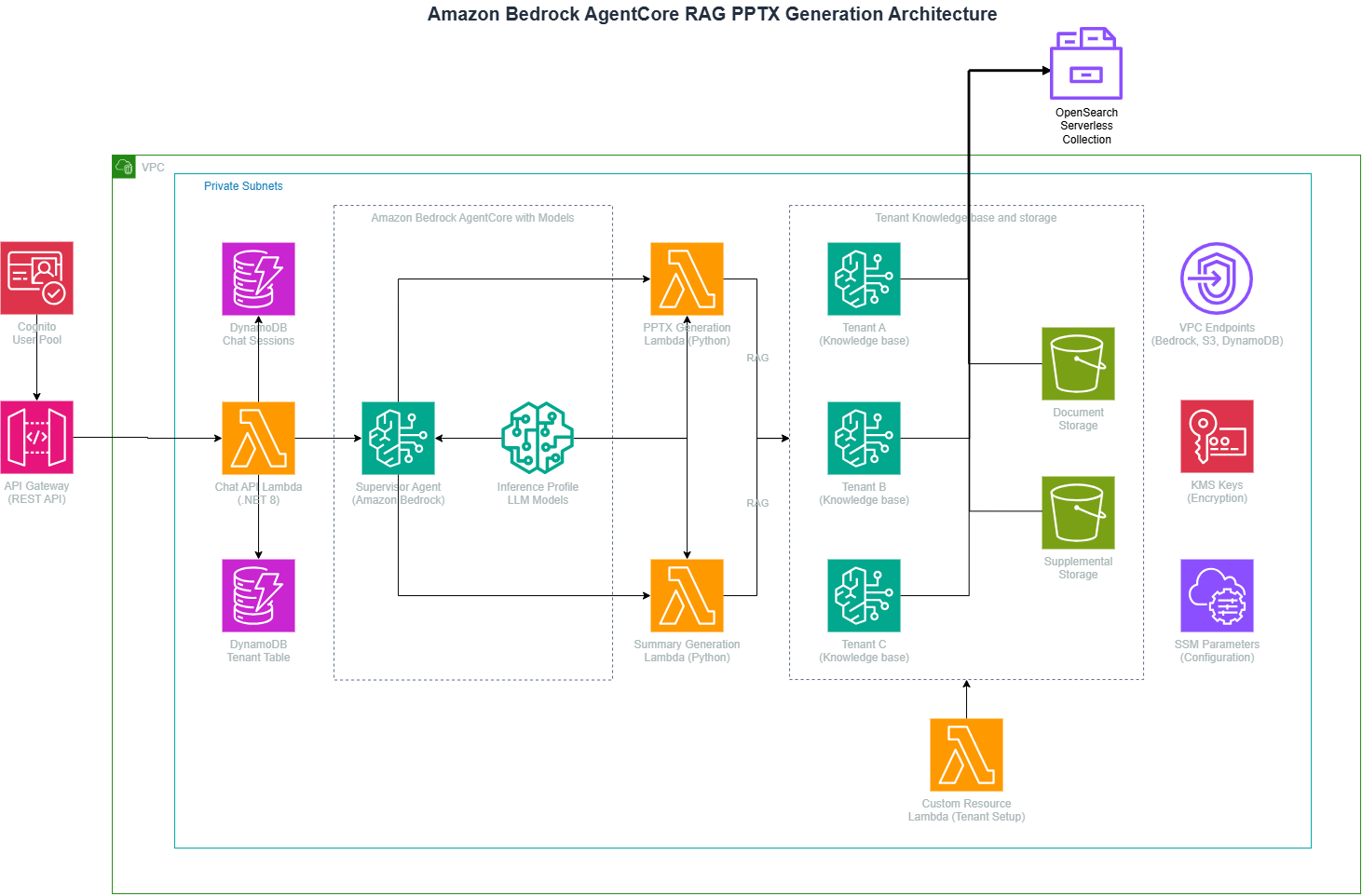
Figure 1: Architecture of the Amazon Bedrock AgentCore RAG presentation generation system
The data flow begins with user requests arriving through Amazon API Gateway, which routes them to a .NET-based Chat API running on AWS Lambda. The API maintains conversation state in Amazon DynamoDB. It then invokes the supervisor agent hosted on Amazon Bedrock AgentCore runtime.
The supervisor agent analyzes the request and selects the appropriate tool. For document generation, it invokes the PPTX Generator Lambda (a containerized Python function). For summarization, the supervisor invokes the Summary Generator Lambda, which queries the knowledge base through the retrieve_and_generate API.
The system processes, chunks, and embeds documents stored in Amazon S3 using Amazon Titan Text Embeddings v2. Amazon OpenSearch Serverless indexes the embeddings for fast semantic search. When tools query the knowledge base, Amazon OpenSearch Serverless retrieves relevant chunks, which are then supplied as context to Anthropic Claude Sonnet 4.6 (on Amazon Bedrock) for generating grounded responses.
The system stores generated documents in Amazon S3 and returns presigned URLs for secure download. Security measures include:
- AWS WAF with managed rule sets and IP-based rate limiting on Amazon API Gateway.
- Amazon Cognito with the Plus feature plan and advanced security mode for threat protection.
- Amazon Bedrock Guardrails provisioned through AWS CDK for consistent content filtering.
- Amazon DynamoDB with point-in-time recovery, deletion protection, and customer-managed AWS KMS encryption.
- Amazon S3 buckets with versioning, server access logging, and block public access.
- AWS X-Ray tracing on Lambda functions for distributed debugging.
- Input validation with regex-based tenant ID and session ID verification.
- Tenant isolation through AWS Security Token Service (AWS STS) role assumption per tenant.
Prerequisites
Before deploying, you need the following tools and access configured in your environment:
- AWS environment:
- An active AWS account with permissions for deploying infrastructure.
- AWS Command Line Interface (AWS CLI) configured with credentials.
- IAM role with appropriate service access policies.
- Development tools:
- .NET SDK 8 with Amazon.Lambda.Tools installed globally.
- Python 3.12 or later for AWS CDK and Lambda functions.
- Node.js and AWS CDK CLI for infrastructure deployment.
- Docker or Finch for building container images (ARM64 support required).
- AWS services access:
- Amazon Bedrock with model access for Anthropic Claude Sonnet 4.6, Amazon Titan Text Embeddings v2, and Stability AI Stable Image Inpaint (available through Amazon Bedrock). For model availability by Region, see Supported models by AWS Region in Amazon Bedrock.
- Amazon Bedrock AgentCore access enabled in your account.
- Amazon API Gateway Regional REST API integration timeout configured to at least 300 seconds. The default is 29 seconds. For more information, see API Gateway quotas.
- An existing Amazon VPC with private subnets.
- An Amazon S3 bucket for deployment artifacts.
Set up the solution
The setup process includes configuring deployment parameters and initializing the AWS CDK environment.
- Clone the repository and navigate to the project directory:
git clone https://github.com/aws-samples/sample-generating-powerpoint-presentations-with-amazon-bedrock.git - Create the configuration file
pipeline-params.iniat the repository root:environment=dev awscliprofile= ContainerRegistry=lambda-pptx-gen AgentContainerRegistry=agentcore-supervisor BucketDev=<amzn-s3-demo-bucket> VpcId=<your-vpc-id> ParsingInferenceProfileId=us.anthropic.claude-haiku-4-5-20251001-v1:0 AgentInferenceProfileId=us.anthropic.claude-sonnet-4-6 EmbeddingModelId=amazon.titan-embed-text-v2:0 ImageGenerationModelId=stability.stable-image-inpaint-v1:0 PPTXGenImageTag=latest AgentImageTag=latestSet
awscliprofileto your AWS CLI profile name, or leave empty to use environment variable credentials. - Bootstrap AWS CDK (one-time per account and Region):
cdk bootstrapThis creates the AWS CloudFormation CDKToolkit stack required for AWS CDK deployments.
- Make build scripts executable:
chmod +x ./pipeline-build.sh
chmod +x ./pipeline-deploy.sh
chmod +x ./deploy-agentcore.sh
Build and deploy
The deployment consists of three phases: building artifacts, deploying infrastructure, and deploying the AgentCore runtime agent.
Build phase
The build phase compiles application code and packages deployment artifacts. Run the build script:
./pipeline-build.shThis compiles the .NET projects (Chat API) and packages them as Lambda deployment packages. It builds the PPTX Generator container image using Docker or Finch and authenticates with Amazon Elastic Container Registry (Amazon ECR). It then pushes the container image and stores build artifacts in the asset-output directory.
Infrastructure deployment phase
The infrastructure deployment creates AWS resources and configures service integrations. Run the deployment script:
./pipeline-deploy.shThe deployment creates four AWS CloudFormation stacks in dependency order:
- VPCEndpointsStack: Configures Amazon VPC endpoints for AWS services including Amazon Bedrock AgentCore.
- OpensearchStack: Provisions Amazon OpenSearch Serverless collection for vector storage.
- AgentCoreStack: Creates guardrails, Lambda functions, IAM roles, and stores configuration in AWS Systems Manager Parameter Store.
- ChatApiStack: Deploys Amazon API Gateway and Chat API Lambda.
AgentCore runtime deployment
After the infrastructure stacks are deployed, deploy the supervisor agent to AgentCore runtime:
./deploy-agentcore.shThis script builds the supervisor agent container (ARM64), pushes it to Amazon ECR, creates the AgentCore runtime and endpoint, and updates the Systems Manager parameter with the endpoint Amazon Resource Name (ARN). The Chat API references this endpoint ARN to route requests to the agent.
After deployment, AWS CloudFormation outputs include the Amazon API Gateway endpoint URL and resource identifiers.
Configuration
The solution offers several configuration points:
Agent instructions
Edit agent/app.py to modify the supervisor agent’s system prompt and behavior. The agent uses Strands Agents with two tools defined in agent/tools.py:
- generate_pptx: Invokes the PPTX Generator Lambda for document creation.
- generate_summary: Invokes the Summary Generator Lambda for knowledge base queries.
Model selection
In pipeline-params.ini, adjust model identifiers:
ParsingInferenceProfileId: Model for knowledge base document parsing (Anthropic Claude Haiku 4.5 recommended for cost efficiency).AgentInferenceProfileId: Model for agent reasoning (Anthropic Claude Sonnet 4.6 recommended).EmbeddingModelId: Embedding model for vector search (Amazon Titan Text Embeddings v2).ImageGenerationModelId: Model for slide image generation (Stability AI Stable Image Inpaint).
With inference profiles instead of direct model IDs, requests draw on a broader multi-Region capacity pool, which increases throughput and helps maintain consistent performance under load.
Lambda configuration
Adjust compute resources in the stack files:
- Chat API: 128 MB memory, 29-second timeout, 100 reserved concurrency (in
api.py). - PPTX Generator: 900 MB memory, 300-second timeout, 50 reserved concurrency (in
pptx_gen.py). - Summary Generator: 512 MB memory, 300-second timeout, 50 reserved concurrency (in
sum_gen.py).
Results
In internal testing with a 90-page Amazon 2024 Annual Report PDF, the solution produced the following performance metrics:
- Presentation generation time: 70–90 seconds end-to-end (including knowledge base retrieval, content generation, image creation, and file assembly).
- Slide count: Six slides with title, bullet points, image+text, image-only, and takeaway formats.
- Image generation: Two AI-generated images per presentation using Stability AI Stable Image Inpaint.
- Cost per generation: Approximately $0.04 in model invocation costs at time of writing in us-east-1 (text and image generation, with image generation accounting for the majority of cost).
- Knowledge base ingestion: Under 2 minutes for a single 1.3 MB PDF document.
PowerPoint presentations
The following figures show example slides from a generated presentation.
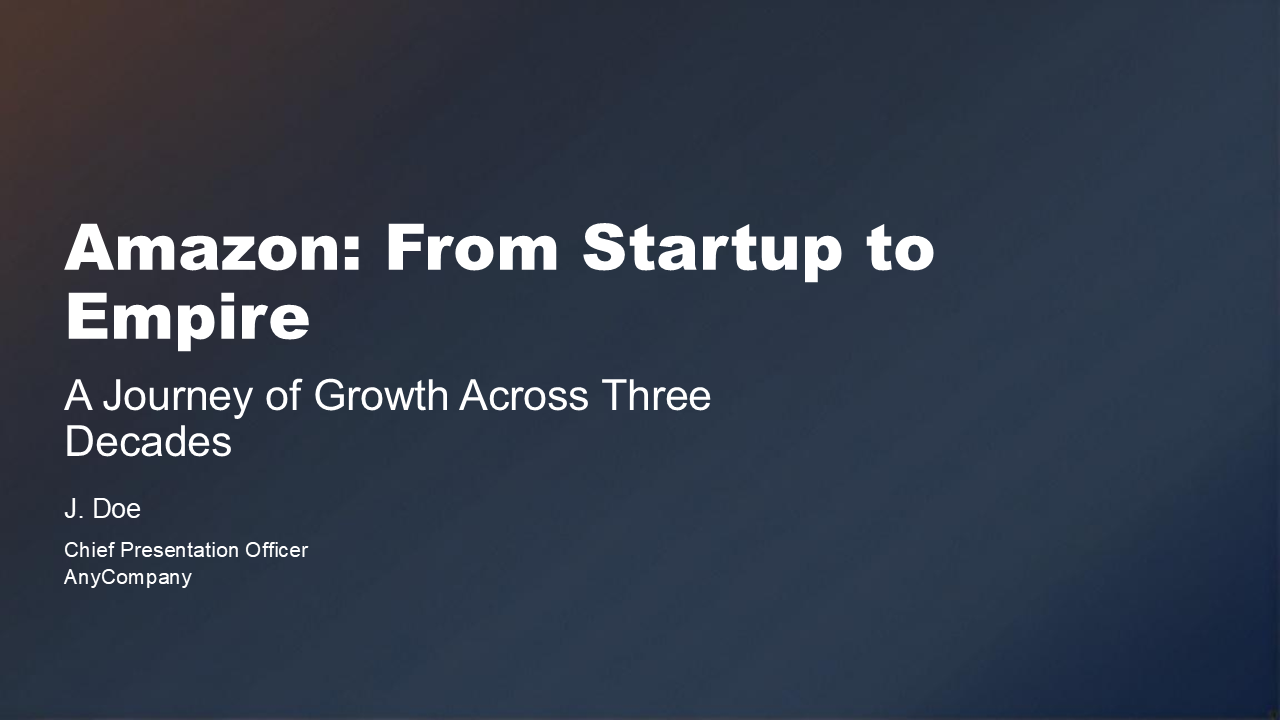
Figure 2: Generated title slide with customizable branding
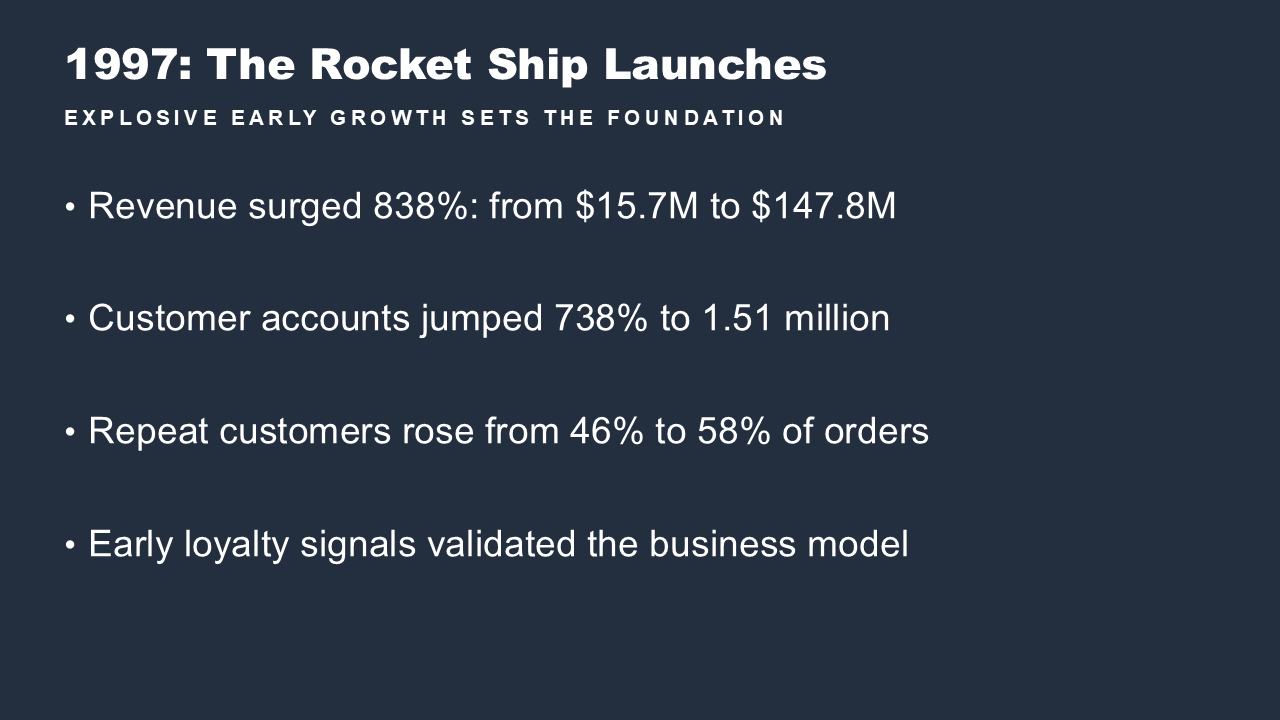
Figure 3: Generated content slide with bullet points
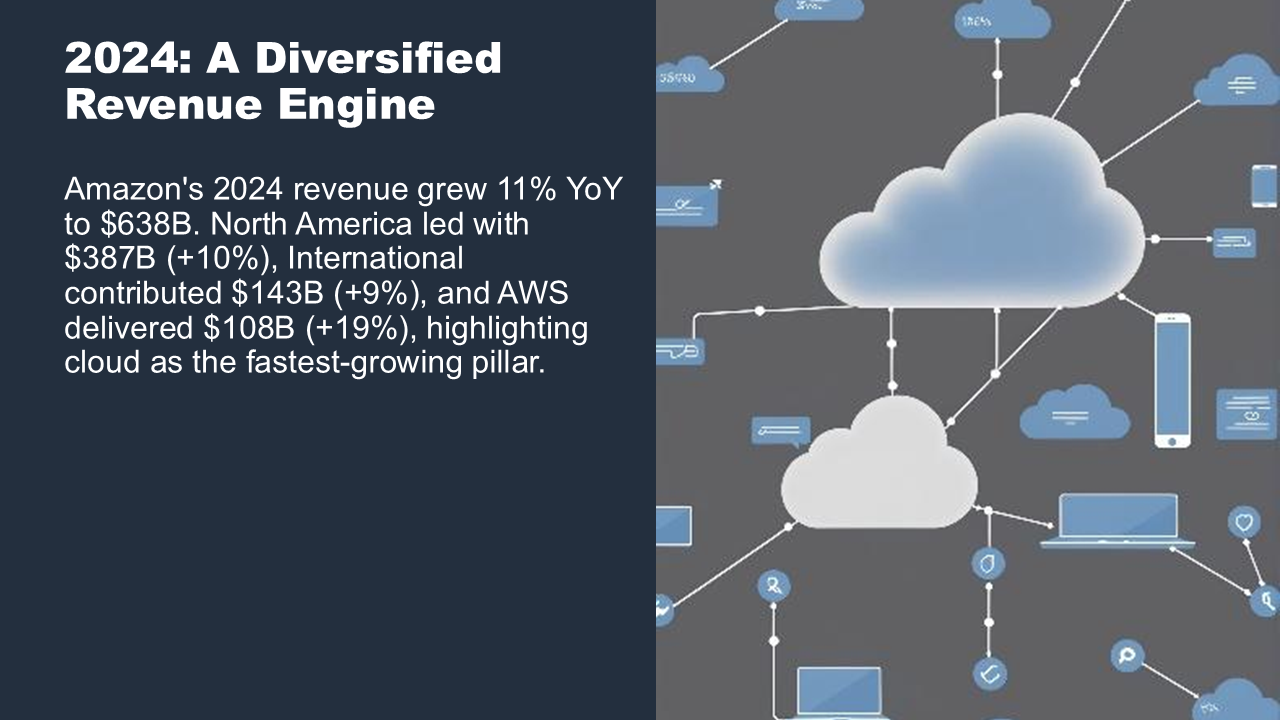
Figure 4: Generated slide combining text with an AI-generated image
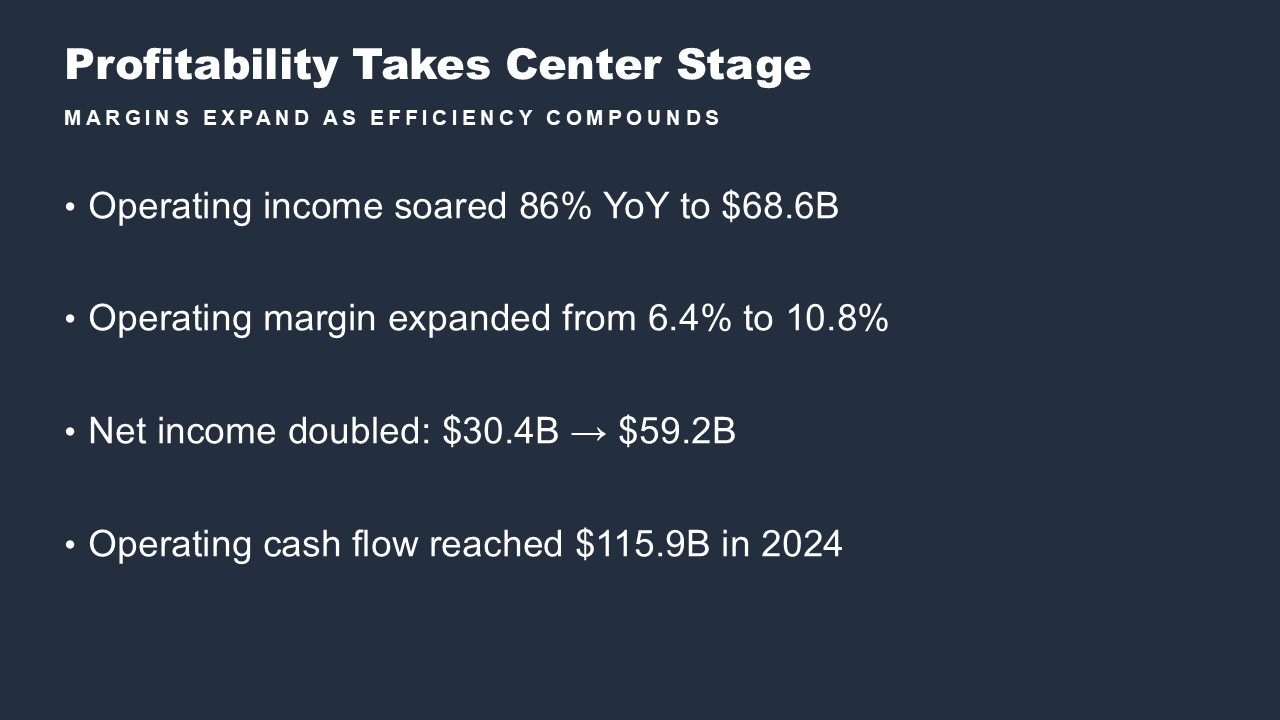
Figure 5: Generated content slide summarizing profitability metrics

Figure 6: Generated image-only slide with an AI-generated visual
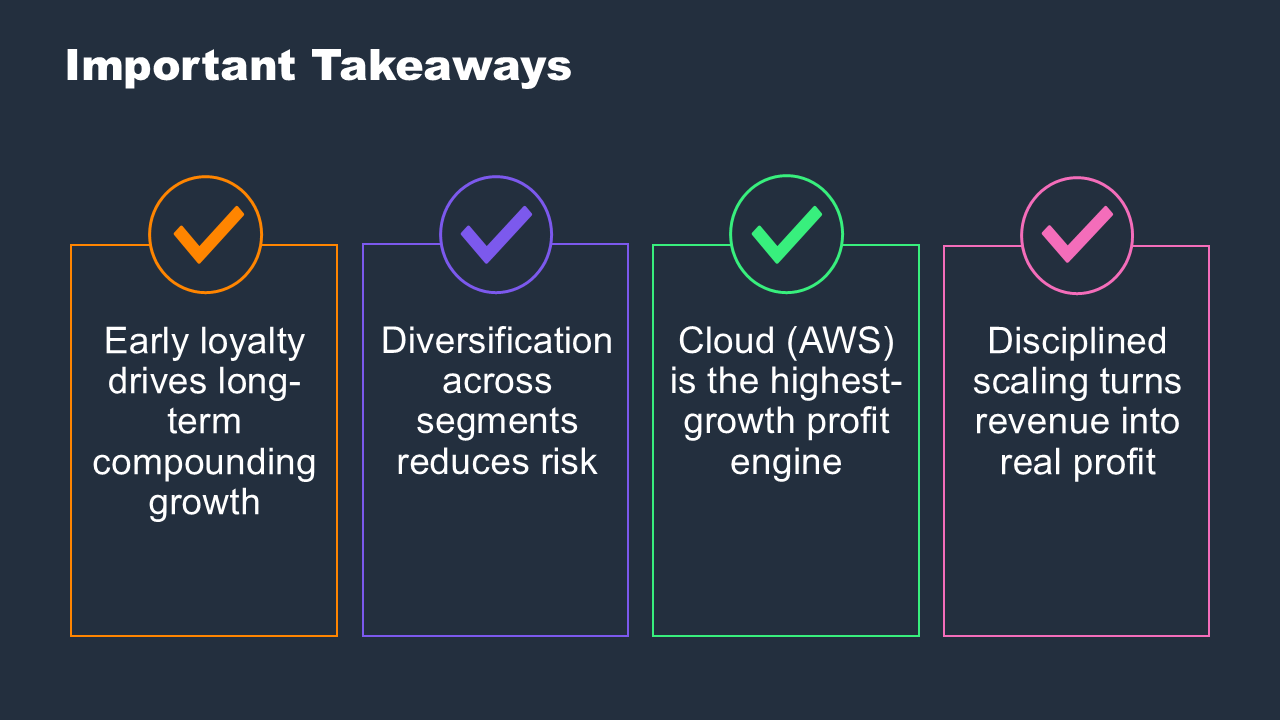
Figure 7: Generated takeaways slide
Generated presentations include:
- Title slides with customizable branding.
- Content slides with bullet points and structured text.
- Image slides with AI-generated visuals from Stability AI Stable Image Inpaint (on Amazon Bedrock).
- Speaker notes with presentation guidance.
- Consistent formatting based on corporate templates.
Summaries
Summary outputs provided to the knowledge base include:
- Concise synthesis of knowledge base content.
- Citation tracking to source documents.
- Structured formatting with key points highlighted.
API responses
The Chat API returns:
- Streaming responses for real-time user feedback. Because internal testing showed that presentation generation takes 70–90 seconds (exceeding the default Amazon API Gateway 29-second integration timeout), the Chat API uses an asynchronous invocation pattern. Use streaming or polling to receive the final result rather than waiting on a synchronous REST call.
- Conversation context maintenance across multiple turns.
- Amazon S3 presigned URLs for document downloads (5-minute expiration).
Generated content undergoes Amazon Bedrock Guardrails validation to verify compliance with content policies before delivery.
Clean up
To avoid ongoing charges, delete the deployed resources:
- Delete the AgentCore runtime and endpoint:
aws bedrock-agentcore-control delete-agent-runtime-endpoint \ --agent-runtime-id <runtime-id> \ --agent-runtime-endpoint-id <endpoint-id> aws bedrock-agentcore-control delete-agent-runtime \ --agent-runtime-id <runtime-id> - Turn off Amazon DynamoDB deletion protection (required before stack deletion):
aws dynamodb update-table --table-name chat-sessions-dev --no-deletion-protection-enabled aws dynamodb update-table --table-name tenant-table-dev --no-deletion-protection-enabled - Delete AWS CloudFormation stacks in reverse dependency order:
aws cloudformation delete-stack --stack-name ChatApiStack aws cloudformation delete-stack --stack-name AgentCoreStack aws cloudformation delete-stack --stack-name OpensearchStack aws cloudformation delete-stack --stack-name VPCEndpointsStack - Empty Amazon S3 buckets before deletion (AWS CloudFormation cannot delete non-empty buckets):
aws s3 rm s3://amzn-s3-demo-bucket --recursive - Delete Amazon ECR repositories containing container images:
aws ecr delete-repository --repository-name lambda-pptx-gen --force aws ecr delete-repository --repository-name agentcore-supervisor --force - Delete tenant knowledge base sub-stacks (created by the tenant provisioner):
aws cloudformation delete-stack --stack-name bedrock-kb-<tenant-id>
Security considerations
This solution uses Lambda environment variables for configuration values such as model IDs, Amazon S3 bucket names, and guardrail IDs. These are resource identifiers, not secrets. For production deployments, use AWS Secrets Manager for sensitive configuration values such as API keys and database credentials.
The AgentCore runtime agent runs in an isolated container with session-level isolation. Each user session operates in a dedicated environment, helping to prevent cross-session data contamination.
Conclusion
In this post, you built an AI agent system with Amazon Bedrock AgentCore that automates enterprise document generation. The supervisor agent deployed on AgentCore runtime routes requests to specialized tools for document creation and summarization, reducing presentation creation to about 90 seconds in an internal test.
The RAG pipeline grounds generated content in source documents, and Amazon Bedrock Guardrails verifies content compliance. You can adapt this architecture for automated report generation in financial services, technical documentation for engineering teams, or proposal creation for sales organizations.
To get started, clone the GitHub repository and follow the setup instructions. For more information about the services used, refer to the Amazon Bedrock AgentCore documentation, Strands Agents SDK, and AWS CDK Developer Guide.
About the authors

Dr. Ian Lunsford
Ian is an Aerospace AI/ML Engineer at AWS Professional Services. He integrates cloud services into aerospace applications and systems. Ian focuses on building AI/ML solutions using AWS services.

Neil Kamin
Neil is a Senior Delivery Consultant AWS Data/AI services at AWS Professional Services. He develops AWS infrastructure.

Stephen Morgan
Stephen is a Delivery Consultant at AWS Professional Services. He develops AWS infrastructure.
來源:AWS Machine Learning Blog · aws.amazon.com