如何用 Gradio reload mode 快速構建 AI 應用
AI Apps in a Flash with Gradio's Reload Mode
Gradio reload mode 可在不重啟 Gradio server 的情況下載入來源檔案的最新變更,文章以此快速構建 AI 文件問答應用。
文章透過文件問答應用示範 Gradio reload mode,並説明如何用 gr.NO_RELOAD 保留客户端,減少開發迭代時重建資源的等待。
本文會示範如何利用 Gradio 的重新載入模式,迅速建立可運作的 AI 應用程式。在開始之前,我想先解釋重新載入模式的功能,以及 Gradio 為何自行實作自動重新載入邏輯。如果你已熟悉 Gradio 並想直接開始構建,請跳至第三節內容。
重新載入模式有甚麼作用?
簡單來説,它會在不重新啟動 Gradio 伺服器的情況下,載入來源檔案中的最新變更。如果你還未完全明白,請繼續閲讀。
Gradio 是熱門的 Python 程式庫,用於建立互動式機器學習應用程式。 Gradio 開發者完全使用 Python 定義介面版面,並加入會在介面事件發生時觸發的 Python 邏輯。只要懂基本 Python,就很容易上手。如果你還不熟悉 Gradio,請參閲這份快速入門指南。
啟動 Gradio 應用程式的方式與其他 Python 指令碼一樣,只需執行 python app.py(Gradio 程式碼檔案可以使用任何名稱)。這會啟動 HTTP 伺服器,呈現應用程式介面並回應用戶操作。若要修改應用程式,通常要先停止伺服器(按 Ctrl + C),編輯來源檔案,再重新執行指令碼。
開發應用程式時,每次都停止並重新啟動伺服器,會造成很長延遲。如果能自動載入最新程式碼變更,就可以即時測試新想法,效果會更好。
Gradio 的重新載入模式正是為此而設。啟動應用程式時,只要執行 gradio app.py,而不是 python app.py即可!
為何 Gradio 自行開發重新載入器?
Gradio 應用程式使用 uvicorn 執行。這是 Python 網絡框架的非同步伺服器。Uvicorn 已提供自動重新載入功能,但 Gradio 基於以下原因自行實作重新載入邏輯:
- 重新載入更快:Uvicorn 的自動重新載入會關閉伺服器再重新啟動。這比手動操作快,但對開發 Gradio 應用程式來説仍然太慢。Gradio 開發者使用 Python 建立介面,因此變更後應立即看到介面效果。這在 JavaScript 生態系統中很常見,對 Python 則是新做法。
- 選擇性重新載入:Gradio 應用程式屬於 AI 應用程式,通常會把 AI 模型載入記憶體,或連接向量資料庫等資料存放區。開發期間重新啟動伺服器,會重新載入模型或重新連接資料庫,令開發週期之間出現過長延遲。為解決此問題,Gradio 提供
if gr.NO_RELOAD:程式碼區塊,讓你標記不應重新載入的程式碼。只有 Gradio 自行實作重新載入邏輯,才能做到這一點。
現在,我會示範如何使用 Gradio 重新載入模式,快速建立 AI 應用程式。
建立文件分析應用程式
我們會建立一個應用程式,讓用戶上載文件圖片並提出問題,再以自然語言獲得答案。我們會使用免費的 Hugging Face Inference API,所以你可直接在自己的電腦跟着操作,無須 GPU!
首先,建立最基本的 gr.Interface。把以下程式碼輸入名為 app.py 的檔案,再以重新載入模式執行 gradio app.py:
import gradio as gr

demo = gr.Interface(lambda x: x, "text", "text")

if __name__ == "__main__":
    demo.launch()
這會建立以下簡單介面。

由於我想讓用戶連同問題上載圖片檔案,因此會把輸入元件改為 gr.MultimodalTextbox()。留意介面會即時更新!
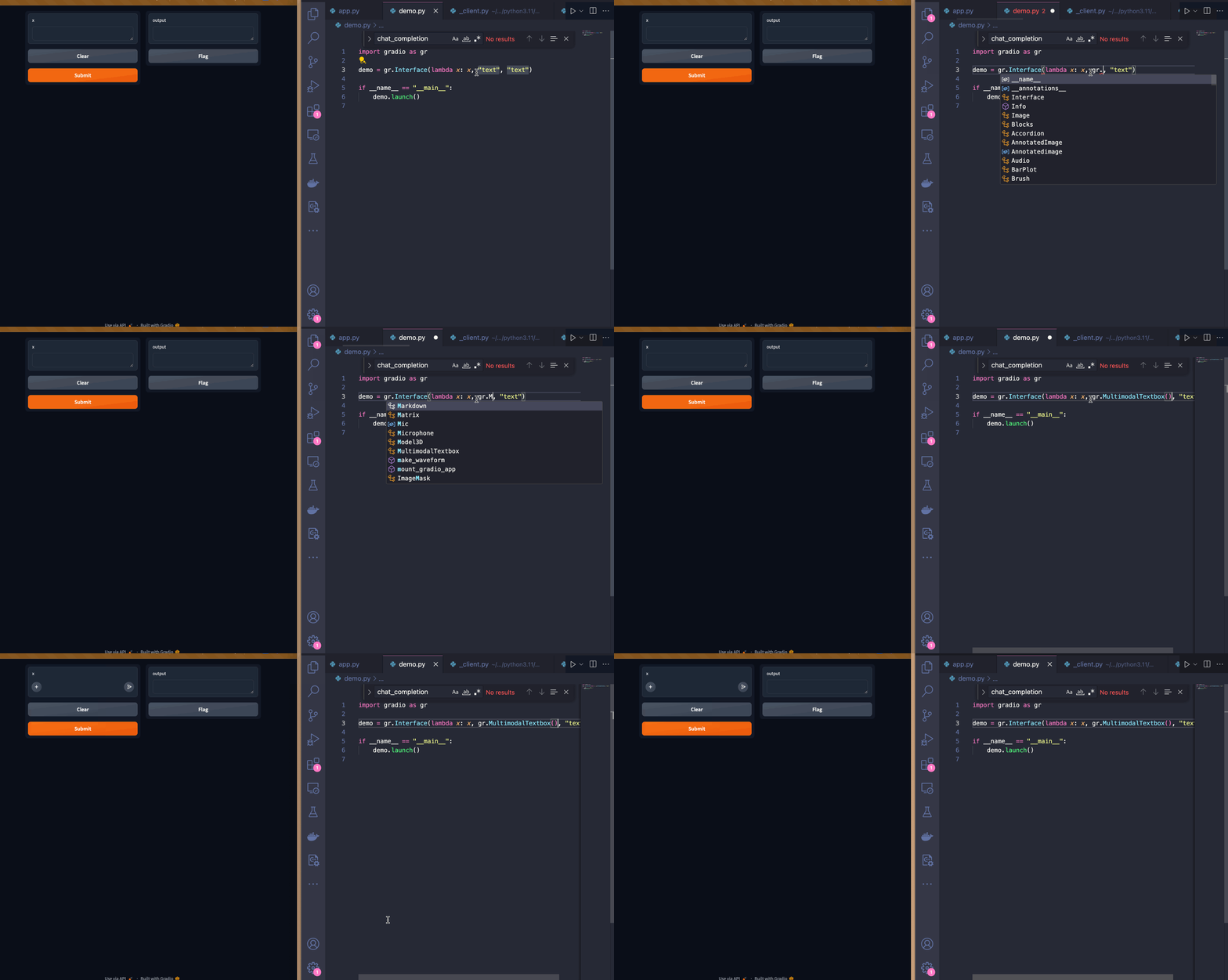
這個介面可以運作,但我認為輸入文字框放在輸出文字框下方會更好。我可以使用 Blocks API 來做到這點,並加入提示文字,引導用戶如何輸入。
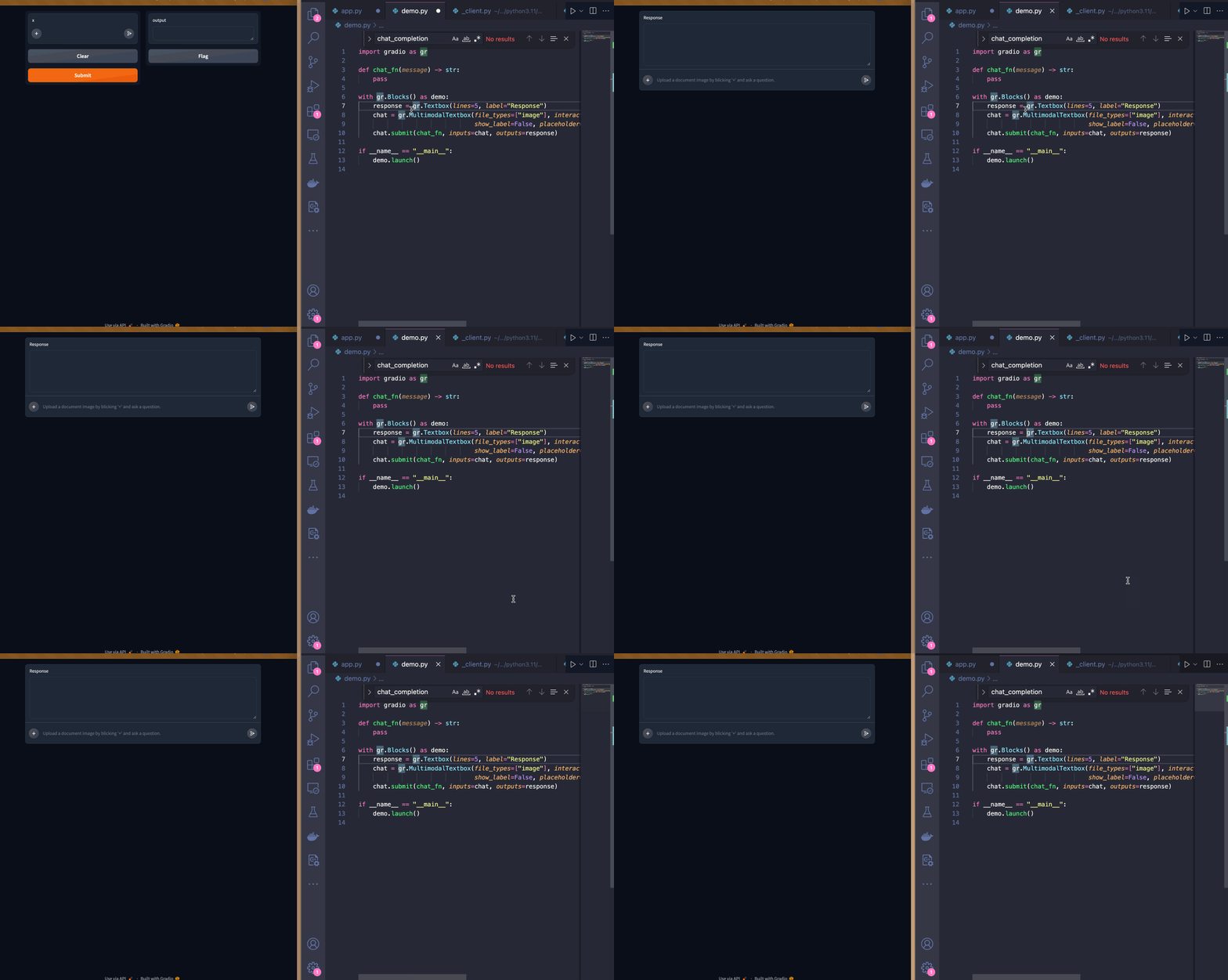
介面調整妥當後,我會開始實作 chat_fn 的邏輯。
由於我會使用 Hugging Face Inference API,因此要匯入 InferenceClient,它來自 huggingface_hub 套件(Gradio 已預先安裝此套件)。我會使用 impira/layouylm-document-qa模型回答用戶問題,再使用 HuggingFaceH4/zephyr-7b-beta LLM 以自然語言生成回應。
from huggingface_hub import InferenceClient

client = InferenceClient()

def chat_fn(multimodal_message):
    question = multimodal_message["text"]
    image = multimodal_message["files"][0]

    answer = client.document_question_answering(image=image, question=question, model="impira/layoutlm-document-qa")

    answer = [{"answer": a.answer, "confidence": a.score} for a in answer]

    user_message = {"role": "user", "content": f"Question: {question}, answer: {answer}"}

    message = ""
    for token in client.chat_completion(messages=[user_message],
                           max_tokens=200,
                           stream=True,
                           model="HuggingFaceH4/zephyr-7b-beta"):
        if token.choices[0].finish_reason is not None:
           continue
        message += token.choices[0].delta.content
        yield message
以下是示範運作畫面!
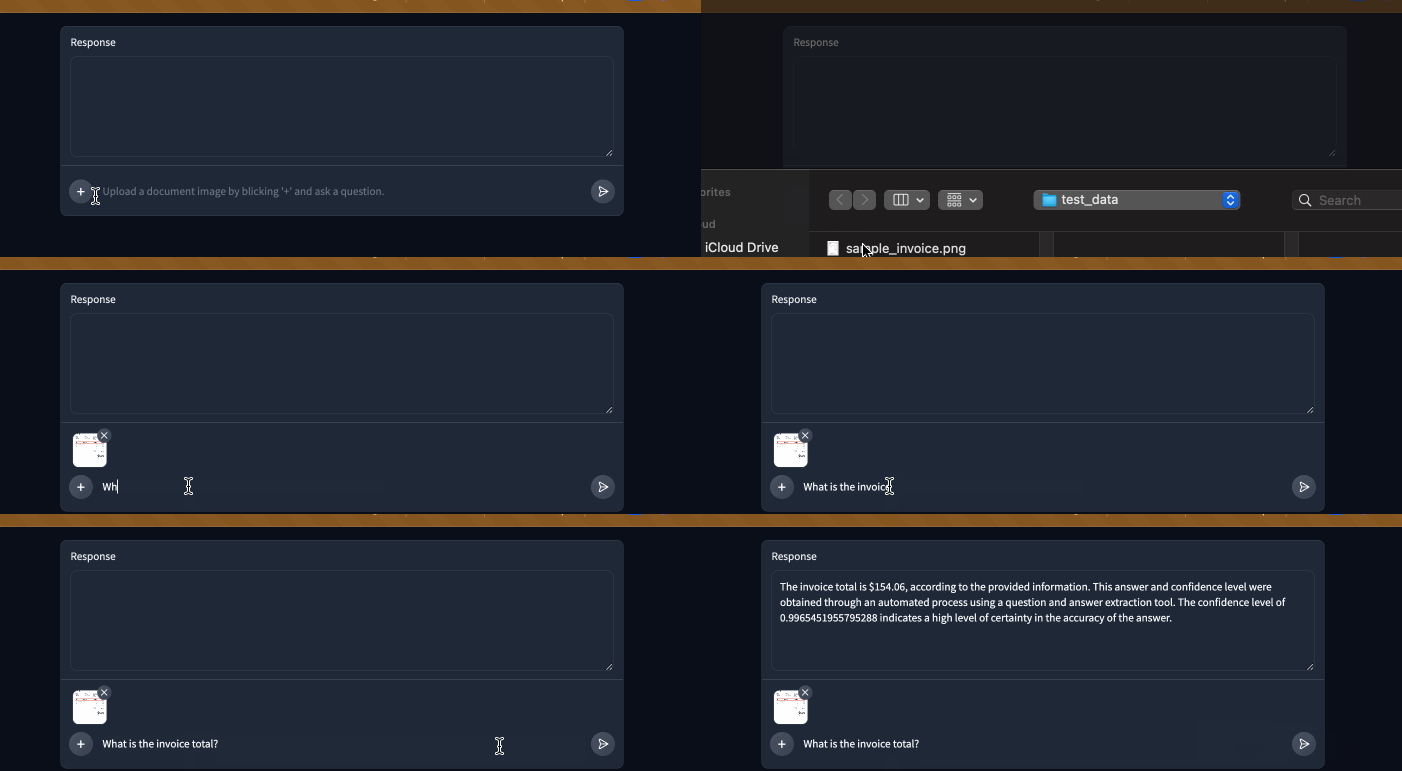
我亦會加入系統訊息,讓 LLM 保持答案簡短,不顯示原始信心分數。為避免每次變更都重新建立 InferenceClient,我會把它放在不重新載入的程式碼區塊中。
if gr.NO_RELOAD:
    client = InferenceClient()

system_message = {
    "role": "system",
    "content": """
You are a helpful assistant.
You will be given a question and a set of answers along with a confidence score between 0 and 1 for each answer.
You job is to turn this information into a short, coherent response.

For example:
Question: "Who is being invoiced?", answer: {"answer": "John Doe", "confidence": 0.98}

You should respond with something like:
With a high degree of confidence, I can say John Doe is being invoiced.

Question: "What is the invoice total?", answer: [{"answer": "154.08", "confidence": 0.75}, {"answer": "155", "confidence": 0.25}

You should respond with something like:
I believe the invoice total is $154.08 but it can also be $155.
"""}
以下是加入系統訊息後的示範!它確實有助機械人保持答案簡短,並避免輸出冗長小數。
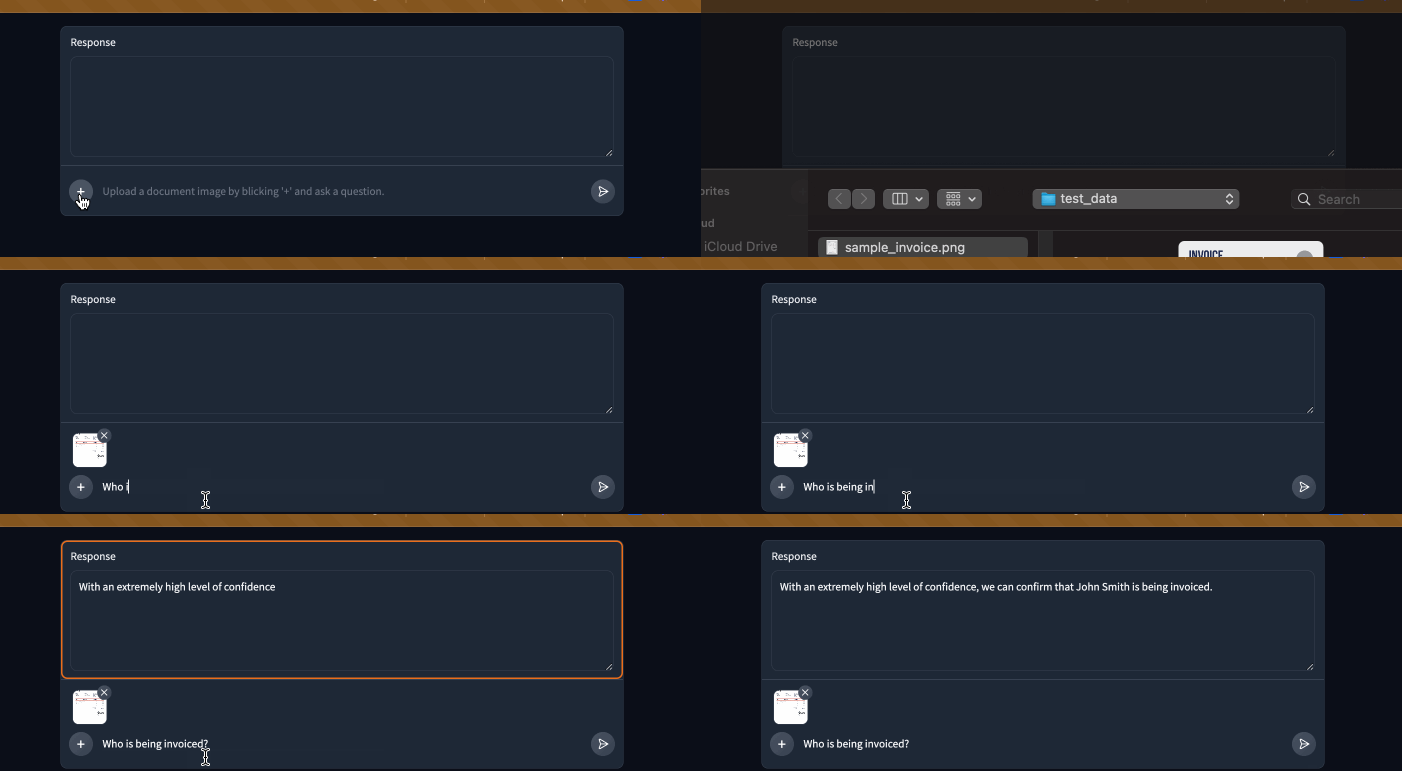
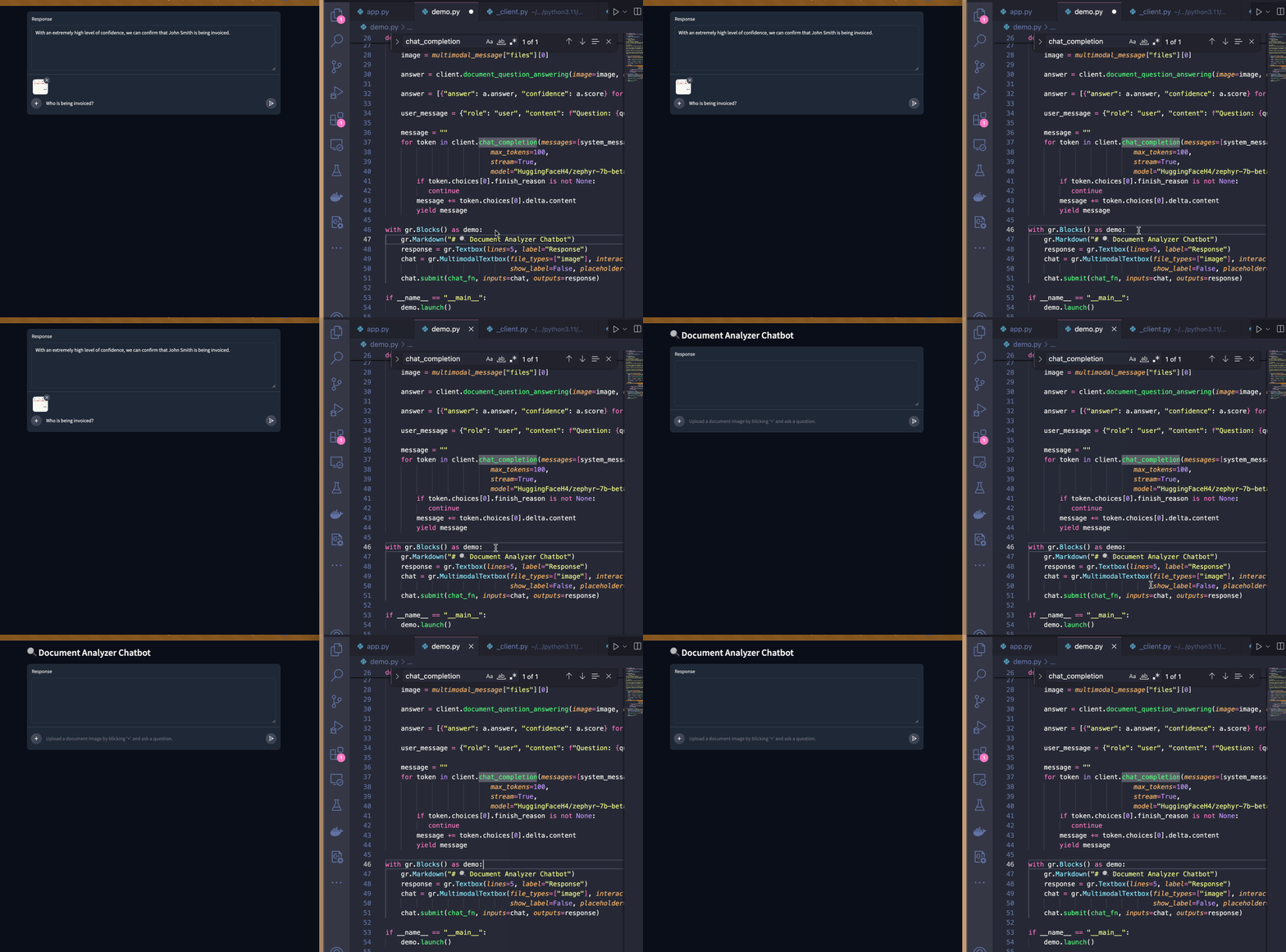
最後,我會在頁面加入 Markdown 標題:
總結
本文示範如何使用 Gradio 和 Hugging Face Inference API 開發可運作的 AI 應用程式。開始開發時,我還不知道最終產品會是甚麼樣子;介面和伺服器邏輯能即時重新載入,讓我可以迅速嘗試不同想法。整個應用程式只花了大約一小時便完成!
如想查看這個示範的完整程式碼,請到這個Space!
來源:Hugging Face Blog · huggingface.co